Successfully added
...see more
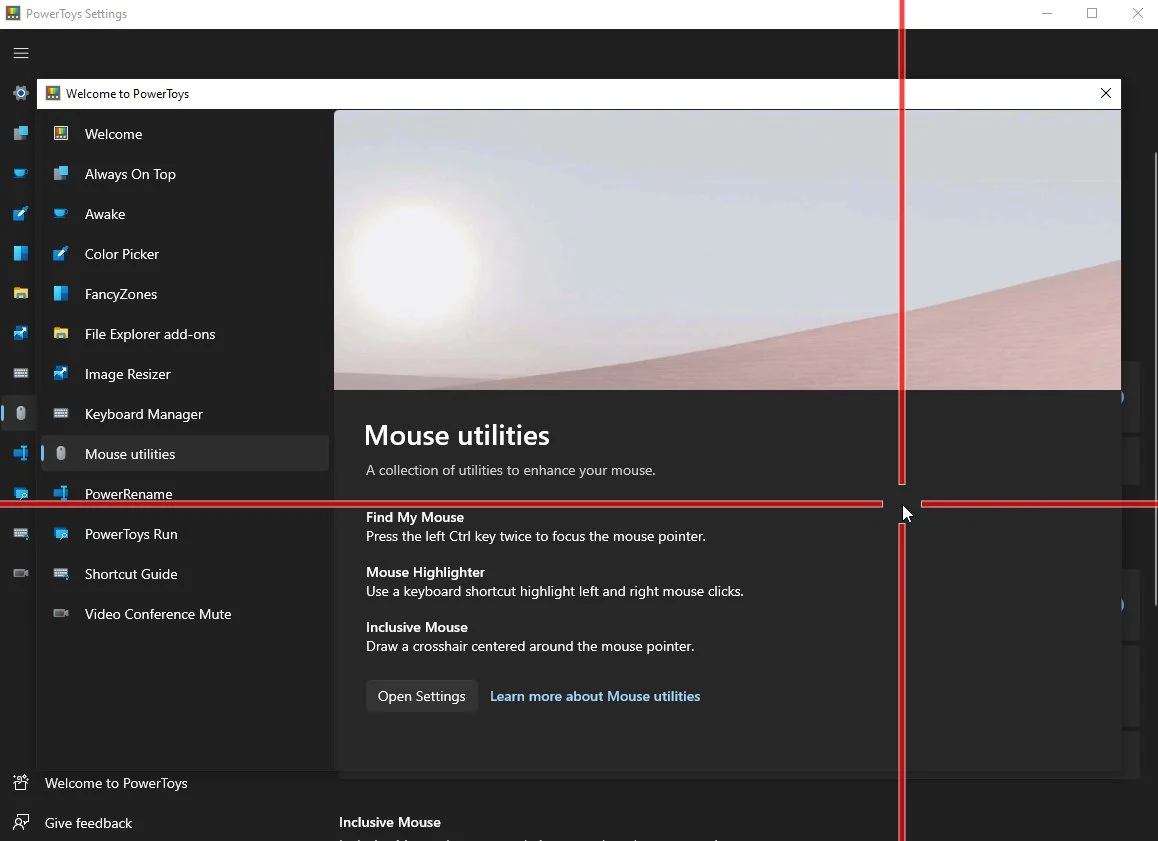
PowerToys, Microsoft’s collection of utilities for Windows, is getting a new mouse module.
Revealed by Microsoft’s Clint Rutkas, the accessibility option will help users find their mouse easily, using a cross-hairs-like design.
The module was created with the help of Microsoft’s accessibility team and will show up in PowerToys 0.55 later this month.
...see more
Microsoft has released PowerToys v0.59.0 for Windows 10 and Windows 11 users. The latest version of PowerToys adds several new features and changes alongside fixes and improvements. The latest PowerToys version also includes known issues which you should be careful about. And to learn about all of them in detail, you can read the complete official changelog below.
You can find the PowerToys app in the Microsoft Store. Alternatively, you can also download the app here from this link. Meanwhile, you can track all the latest news related to it here.
Source: Microsoft releases PowerToys v0.59.0, here is what's new - MSPoweruser
...see more
Can’t select or copy text from an image, video, or application? Text Extractor in Microsoft PowerToys lets you grab visible text from almost anywhere on your screen in just a few seconds.
How it works
-
Press Windows + Shift + T.
-
Drag the mouse over the area containing the text you want to capture.
-
The recognized text is automatically copied to your clipboard.
-
Paste it into a document, email, browser, or other application with Ctrl + V.
Text Extractor uses OCR (Optical Character Recognition) to recognize text displayed on your screen. This makes it especially useful for screenshots, images, videos, or applications where text cannot normally be selected.
Good to know: OCR isn’t always perfect. Quickly check the extracted text, especially when working with small, stylized, or low-quality text.
Referenced in:
Comments