Successfully added
Windows
by Burton
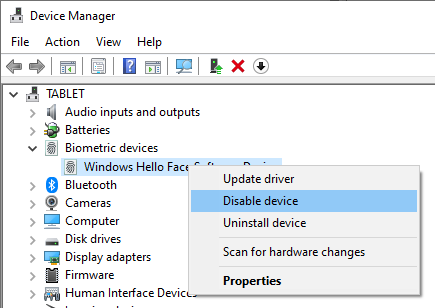
Disable Biometric Devices via Device Manager
To disable all biometric devices, including facial recognition hardware, follow these steps:
-
Right-click the Start button and select Device Manager.
-
Expand the Biometric Devices section.
-
Right-click on your biometric device (e.g., IR camera) and choose Disable device.
-
Confirm the action when prompted.
Disabling the biometric device prevents the system from using any biometric authentication methods.
Windows
BiometricDevices
Referenced in:
Comments